


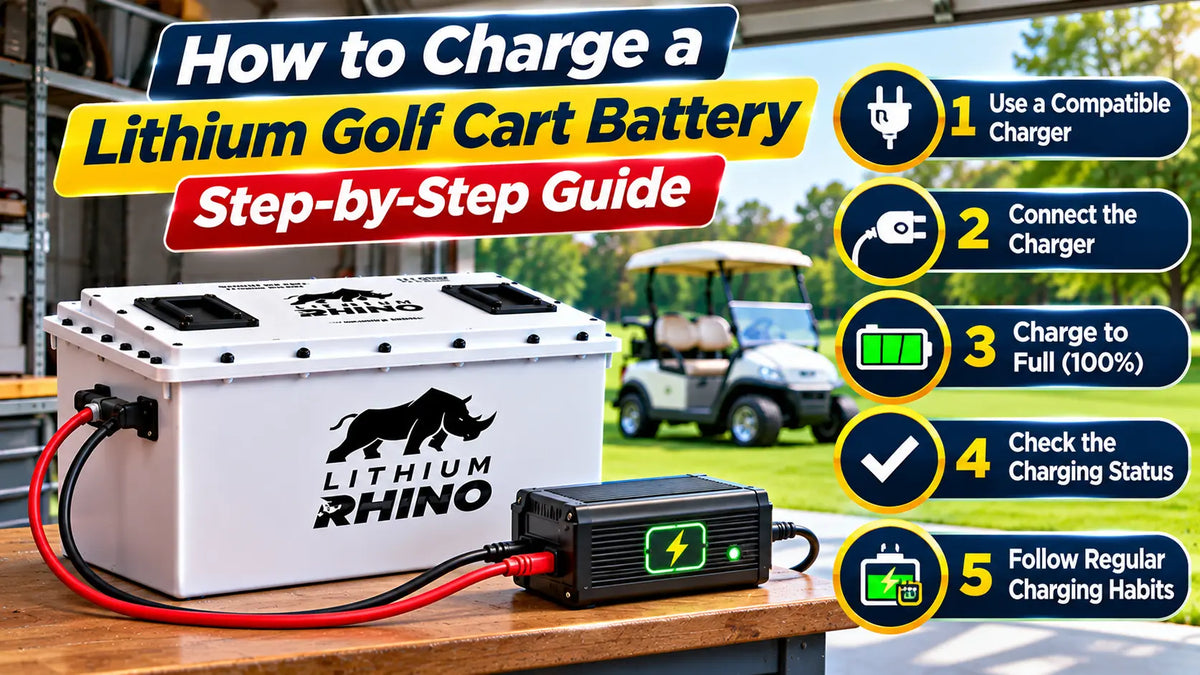
To charge a lithium golf cart battery, use a charger approved for the battery's chemistry, voltage, and charging requirements. Park the cart safely, turn it off, inspect the charging equipment, and connect the charger according to its instructions. Allow the charging cycle to finish, check the charger's completion indicator, and disconnect the equipment using the recommended procedure.
Most LiFePO4 golf cart batteries support partial charging and do not require routine watering or lead-acid equalization charging. However, they still need a compatible charger and must be charged within their permitted temperature range.
What Do You Need to Charge a Lithium Golf Cart Battery?
Before charging your golf cart, make sure you have the correct equipment.
You will generally need:
- Compatible lithium battery charger: It must match your battery's chemistry, voltage, and charging requirements.
- Charging cable: Use the cable supplied with or approved for your battery.
- Compatible charge port: Make sure the connector fits and is designed for your battery system.
- Suitable electrical outlet: Follow the charger's input-voltage requirements.
- Battery monitoring system: If available, use the battery display or app to check its state of charge and warning messages.
Why Is the Correct Charger Important?
Not every golf cart charger works with every lithium battery.
Lithium iron phosphate (LiFePO4) batteries require a charging profile designed for their chemistry. A traditional lead-acid charger may use different voltage settings or charging stages that are unsuitable for some lithium systems.
Using an incompatible charger can cause charging errors, trigger battery protection, or damage the battery.
Before connecting a charger, check:
- Battery voltage and chemistry.
- Charger output voltage.
- Maximum permitted charging current.
- Connector compatibility.
- Manufacturer-approved charging instructions.
A charger that physically fits the charging port is not necessarily electrically compatible.
How to Charge a Lithium Golf Cart Battery: Step-by-Step Instructions
Charging a lithium golf cart battery is straightforward when you use the correct equipment and follow the manufacturer's instructions.
Step 1: Park Your Golf Cart Safely
Park your golf cart on a level surface in a dry, suitable charging location.
Before connecting the charger:
- Set the parking brake.
- Turn off the golf cart.
- Remove the key.
- Switch off unnecessary electrical accessories.
- Keep the charging area free from water and excessive heat.
Do not charge a battery with visible physical damage, exposed wiring, or signs of overheating.
Step 2: Check the Battery's Charge Level
Check the battery's state of charge (SOC) before connecting the charger.
Depending on your battery, you may be able to view this information through:
- An LCD battery display.
- A Bluetooth monitoring app.
- A compatible battery monitor.
Knowing the current charge level helps you estimate how much charging the battery needs.
For example, a 105Ah battery at 50% charge needs approximately 52.5Ah to return to 100%, assuming the displayed charge level is accurate.
You do not need to wait until the battery is completely empty before recharging it. Follow the manufacturer's recommendations for normal use and low-charge conditions.
Step 3: Inspect the Charger and Connections
Inspect the charger, cables, connectors, and charge port before use.
Look for:
- Damaged or exposed wires.
- Bent connector pins.
- Loose connections.
- Dirt or moisture inside the charging port.
- Burn marks or unusual discoloration.
Never use damaged charging equipment.
Also confirm that the charger's output specifications match the battery's requirements. Do not rely on connector shape alone.
Step 4: Connect the Charger
Follow the connection sequence in your battery and charger manuals.
The correct procedure can vary between charging systems. Some chargers connect to the battery or cart before the AC power supply is switched on, while others may use a different sequence.
For the Lithium Rhino 48V 105Ah CUBE conversion kit, the product listing describes a supplied 25A smart charger and a charge-port adapter for a 110V connection.
Use the charging equipment supplied or approved for your specific battery installation. Do not modify connectors or bypass electrical protection.
Step 5: Start the Charging Process
Once the equipment is connected according to its instructions, the charger should begin its charging cycle.
During charging:
- Keep the charger in a dry, suitable location.
- Do not cover the charger or block its cooling openings.
- Keep cables away from moving parts and trip hazards.
- Watch for unusual heat, odors, noises, or warning indicators.
- Check the battery display or app if your system supports monitoring.
A compatible smart charger manages charging according to its programmed profile.
If the charger displays an error or the battery reports a fault, stop and consult the manufacturer's troubleshooting instructions.
Step 6: Allow the Charging Cycle to Finish
Let the charger complete its normal charging cycle.
Most compatible smart chargers provide an indicator showing when charging is complete.
Do not assume the battery is fully charged simply because the charger has been connected for a particular number of hours.
Actual charging time depends on the starting charge level, battery capacity, charger output, temperature, and charging profile.
Step 7: Disconnect the Charger Safely
Once charging is complete, follow the charger's instructions for disconnecting the equipment.
Hold the connector when removing it. Do not pull the cable by its wire.
Store the charger and cables in a clean, dry location.
Your golf cart is ready for use when the charger is disconnected and the battery and vehicle indicators show normal operation.
How Long Does It Take to Charge a Lithium Golf Cart Battery?
Charging time depends on several factors:
- Battery capacity in amp-hours (Ah).
- Charger output in amps (A).
- Starting state of charge.
- Battery temperature.
- Charging profile and current adjustments.
Lithium batteries can charge faster than comparable lead-acid systems, but charging time varies between battery models and charger combinations.
Estimated Charging Time by Battery Capacity and Charger Amperage
The table below shows simplified estimates for charging a battery from empty to full. It assumes a constant charging current and does not account for charging losses or current reduction near the end of the charging cycle.
| Battery Capacity | 10A Charger | 15A Charger | 25A Charger |
|---|---|---|---|
| 50Ah | 5 hours | 3.3 hours | 2 hours |
| 75Ah | 7.5 hours | 5 hours | 3 hours |
| 100Ah | 10 hours | 6.7 hours | 4 hours |
| 105Ah | 10.5 hours | 7 hours | 4.2 hours |
These are theoretical estimates, not guaranteed charging times.
How Does Starting Charge Affect Charging Time?
A battery that starts at 50% charge generally needs less charging time than the same battery starting at 10%.
You can estimate the amount of capacity to replenish using:
Capacity to replenish = Battery capacity × Percentage of charge needed
For example, consider a 105Ah battery starting at 50% charge:
- Total battery capacity: 105Ah
- Starting charge: 50%
- Approximate capacity to replenish: 52.5Ah
- Charger output: 25A
- Ideal charging estimate: 52.5 ÷ 25 = 2.1 hours
This is a simplified calculation. Actual charging can take longer because of charging losses, temperature, and changes in charging current.
How Long Does a Lithium Rhino 48V 105Ah Battery Take to Charge?
The Lithium Rhino 48V 105Ah CUBE conversion kit includes a 25A smart charger. Its product page advertises approximately four-hour charging.
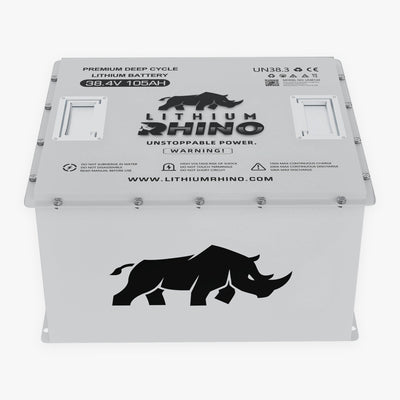
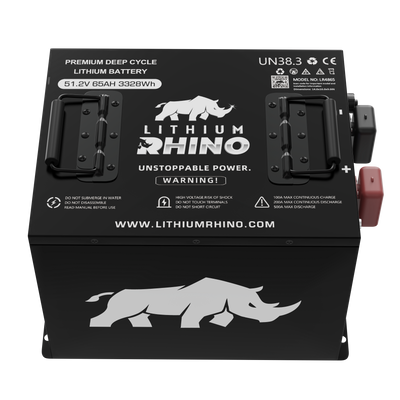
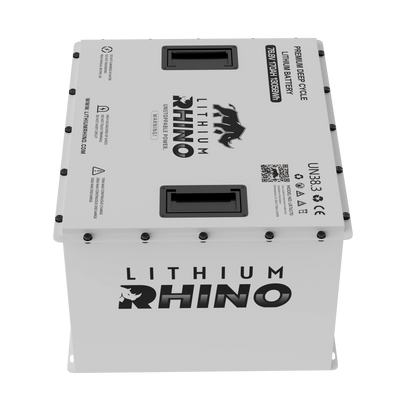
The battery has a listed capacity of 105Ah and 5,376Wh (5.376kWh) of nominal energy.
The advertised charging time is a product estimate, not a guarantee for every charging session. Actual time depends on the battery's starting charge, temperature, and charging conditions.
Review the Lithium Rhino 48V 105Ah CUBE conversion kit for its current specifications and included charging equipment.
For a comparison of charging times and lifespan between lead-acid and lithium batteries, read our guide: How Long Do 48 Volt Golf Cart Batteries Last?
Can You Charge a Lithium Golf Cart Battery After Every Use?
Yes, many LiFePO4 golf cart batteries support partial charging after regular use.
You do not need to wait until the battery is completely empty before connecting an approved charger. Routine partial charging is generally acceptable when permitted by the battery manufacturer.
For good battery care:
- Use the approved charger.
- Follow the manufacturer's recommended charge levels.
- Avoid leaving the battery deeply discharged for extended periods.
- Follow the correct storage procedure when the golf cart will remain unused.
- Check your battery manual for model-specific recommendations.
For more everyday care tips, see how to maintain your lithium battery-powered golf cart.
Can You Leave a Lithium Golf Cart Battery Plugged In Overnight?
Some modern lithium golf cart battery systems use smart chargers designed to manage the charging cycle and stop or regulate charging when the battery reaches its target.
However, this does not mean every lithium battery should remain connected indefinitely.
Whether overnight charging is acceptable depends on the battery, charger, and manufacturer's instructions.
Before leaving your cart connected:
- Confirm that the charger is compatible with the battery.
- Check whether the manufacturer permits unattended or overnight charging.
- Keep the charger and charging area dry.
- Keep combustible materials away from charging equipment.
- Do not use damaged cables, connectors, or electrical outlets.
A Battery Management System (BMS) provides important protections, but it does not make an incompatible charger or unsafe charging environment acceptable.
Can You Use a Lead-Acid Charger on a Lithium Golf Cart Battery?
Generally, you should not use a traditional lead-acid charger unless the lithium battery manufacturer explicitly confirms compatibility.
Lead-acid and LiFePO4 batteries can require different charging voltages and charging profiles.
Some lead-acid chargers include equalization or desulfation stages that are not appropriate for many lithium batteries. Using an unsuitable charger can cause charging errors or trigger BMS protection.
Before using a replacement charger, confirm:
- It supports LiFePO4 chemistry.
- Its output voltage matches the battery.
- Its charging current is within the battery's permitted limit.
- Its charging profile is approved by the battery manufacturer.
Do not select a charger based only on its connector or advertised amperage.
Can You Charge a Lithium Golf Cart Battery in Cold Weather?
Temperature is an important part of lithium battery charging.
LiFePO4 batteries have specific charging-temperature limits. Charging cells below their permitted temperature can cause lithium plating and permanently damage the battery.
Many standard LiFePO4 batteries restrict charging below 32°F (0°C), although exact limits vary by model. Some batteries include built-in heating systems that warm the cells before charging.
Before charging in cold conditions:
- Check the battery's internal temperature, not just the outdoor temperature.
- Review the manufacturer's minimum and maximum charging temperatures.
- Do not bypass BMS temperature protection.
- Allow a cold battery to warm naturally when required by its manual.
- Follow the manufacturer's instructions for batteries with built-in heaters.
Important: A battery's operating-temperature range does not automatically establish its permitted charging-temperature range.
For more information about off-season battery care, consult the manufacturer's storage instructions or the relevant battery-care resources in the Lithium Rhino Knowledge Base.
How Does a Battery Management System Help During Charging?
A Battery Management System (BMS) monitors and protects a lithium battery during normal operation.
Depending on the battery design, its BMS may monitor:
- Cell voltage.
- Battery temperature.
- Charging current.
- Discharging current.
- Cell balance.
- Fault conditions.
The BMS may restrict or interrupt charging when its protection limits are reached.
However, the BMS is not a replacement for a compatible charger. Always use the charging equipment approved for your battery and follow its instructions.
Common Lithium Golf Cart Battery Charging Mistakes
Avoid these mistakes to help protect your battery and charging equipment.
1. Using an Incompatible Charger A charger designed for a different battery chemistry or voltage may not provide the correct charging profile. Use the supplied or manufacturer-approved charger.
2. Ignoring Charging Temperature Charging below the battery's permitted temperature can damage its cells. Check the manufacturer's limits before charging in cold conditions.
3. Using Damaged Charging Cables Frayed wires, damaged connectors, and loose connections can create electrical hazards. Inspect your equipment before use.
4. Assuming Every Lithium Battery Charges at the Same Speed Battery capacity, charger output, starting charge level, and temperature all influence charging time. Do not rely on one estimate for every battery.
5. Leaving a Deeply Discharged Battery Unattended A deeply discharged battery may need specific recovery instructions. If the BMS disconnects the battery because of low voltage, follow the manufacturer's guidance instead of attempting to force a charge.
6. Bypassing Battery Protection Never bypass BMS protection or force a battery to accept a charge after a safety fault. Identify the cause before trying again.
7. Charging in an Unsafe Location Avoid wet areas and locations near flammable materials. Use a suitable electrical outlet and keep charging equipment in good condition.
What Should You Do If Your Lithium Golf Cart Battery Is Not Charging?
If your lithium golf cart battery does not begin charging, do not immediately assume the battery has failed.
Several issues can prevent normal charging.
| Possible Problem | What to Check |
|---|---|
| Charger does not turn on | Check the power outlet, charger cable, and indicator lights |
| Battery does not accept a charge | Check the battery state, BMS alerts, and manufacturer instructions |
| Charger displays an error | Check the error code in the charger manual |
| Charging stops unexpectedly | Check battery temperature and connection condition |
| Battery charges unusually slowly | Confirm charger output and battery specifications |
| Battery display shows a fault | Review the monitoring app or contact technical support |
If the charger or battery becomes unusually hot, produces an unusual smell, or shows visible damage, stop charging if it is safe to do so. Contact the manufacturer or a qualified technician.
Do not open the battery enclosure or attempt internal repairs.
How to Charge a Lithium Rhino Golf Cart Battery
Lithium Rhino conversion kits include charging equipment designed for their respective battery systems.
The 48V 105Ah CUBE conversion kit includes a 25A smart charger and a charge-port adapter for its 110V charging arrangement. The product page advertises approximately four-hour charging.
For the CUBE:
- Park the golf cart safely and switch it off.
- Check the battery and charging connections.
- Use the supplied Lithium Rhino smart charger and compatible adapter.
- Follow the product's charging connection instructions.
- Monitor the charging process using the available battery display or app.
- Wait for the charger to indicate that charging is complete.
- Disconnect the charger according to its instructions.
Always refer to the instructions supplied with your specific kit. Do not assume that every Lithium Rhino model uses the same charger or charging procedure.
Monitor Your Battery While Charging
The Lithium Rhino battery platform includes Bluetooth monitoring and an app.
Depending on the model and available app features, owners can check information such as:
- State of charge.
- Battery voltage.
- Temperature.
- Fault alerts.
- Cycle history.
Monitoring helps you understand the battery's condition and identify warning messages that may require attention. It does not replace the need for a compatible charger or manufacturer-approved charging procedure.
For product-specific charging instructions, installation help, and battery-care information, visit the Lithium Rhino Knowledge Base.
Considering a lithium golf cart upgrade? Explore the Lithium Rhino 48V 105Ah CUBE conversion kit to review its battery capacity, included charger, accessories, fitment information, and warranty terms.
Frequently Asked Questions
1. How do you charge a lithium golf cart battery?
Use a compatible charger designed for the battery's voltage and LiFePO4 chemistry. Park the cart safely, inspect the connections, connect the charger according to its instructions, and allow the charging cycle to finish.
2. How long does it take to charge a lithium golf cart battery?
Charging time depends on battery capacity, charger amperage, starting charge level, temperature, and charging profile. Lithium Rhino advertises approximately four hours for its 48V 105Ah CUBE with the included 25A smart charger.
3. Can I charge my lithium golf cart battery after every use?
Yes. Many LiFePO4 batteries support partial charging, so you do not need to wait until the battery is empty. Follow your manufacturer's charging recommendations.
4. Can I leave my lithium golf cart plugged in overnight?
Some smart chargers manage charging automatically, but overnight charging should follow the battery and charger manufacturer's instructions. Do not assume every lithium system supports indefinite connection.
5. Can I use my old lead-acid golf cart charger?
Only if the lithium battery manufacturer explicitly confirms compatibility. Many traditional lead-acid chargers use charging profiles that are unsuitable for lithium batteries.
6. Can you overcharge a lithium golf cart battery?
A properly matched smart charger and BMS provide charging protections, but an incompatible or faulty charger can still create problems. Use the approved charger and follow the manufacturer's instructions.
7. Should I turn off my golf cart before charging?
Yes. Switching off the golf cart and unnecessary electrical accessories is a sensible precaution before charging. Follow your vehicle and battery manufacturer's specific instructions.
8. Can I charge a lithium golf cart battery in freezing temperatures?
Many standard LiFePO4 batteries should not be charged when their internal cells are below 32°F (0°C). Some models have different temperature limits or built-in heating systems. Check your battery manual.
9. What happens if my lithium golf cart battery stops charging?
Check the charger, outlet, connectors, battery state, and any BMS or charger error messages. If the problem continues, contact the battery manufacturer or a qualified technician rather than bypassing protection systems.
10. Do lithium golf cart batteries need a special charger?
They require a charger compatible with their chemistry, voltage, charging voltage, and current limits. Use the supplied charger or one specifically approved by the battery manufacturer.
11. Is a 25A charger suitable for a 105Ah lithium golf cart battery?
It can be suitable when the battery manufacturer specifies that charger for the battery. Lithium Rhino lists a 25A smart charger with its 48V 105Ah CUBE conversion kit.
12. Should I fully charge my lithium golf cart battery before storing it?
Follow the manufacturer's long-term storage instructions. Storage charge recommendations differ between battery models, so do not assume every lithium battery should be stored fully charged.
Charge Your Lithium Golf Cart Battery the Right Way
Charging a lithium golf cart battery is simple when you use the correct charger and follow the manufacturer's instructions.
Check the battery's voltage and chemistry, use an approved charging system, inspect the cables, and pay attention to temperature limits. Avoid incompatible chargers and never bypass battery protection.
Lithium batteries offer convenient charging and low routine maintenance, but proper charging habits still matter.
Related reading
- How to Convert a Golf Cart to Lithium Batteries (Step-by-Step Guide)
- 48V vs 72V Lithium Golf Cart Batteries: Which Should You Choose?
- Is a Lithium Golf Cart Battery Worth the Cost?
If you are considering an upgrade, compare Lithium Rhino's conversion kits by battery capacity, included charger, installation requirements, fitment, and warranty coverage before choosing a system.


Leave a comment
This site is protected by hCaptcha and the hCaptcha Privacy Policy and Terms of Service apply.